

Si quieres invertir en las oportunidades que Domoblock va presentando en su plataforma, lo primero que deberás hacer es registrarte.
¿Cómo puedes hacerlo? Accediendo a la plataforma:
%2011.55.30%20a.%20m..png)
Una vez registrado, recibirás un correo en tu bandeja de entrada para verificarlo y completar tu registro. Si no lo tienes aún, recuerda visitar la carpeta de spam. Para verificar, haz clic en el enlace que te enviamos en el correo electrónico y ¡listo! tu cuenta ha quedado registrada.
Tras finalizar el registro, la plataforma de forma automática te llevará a completar el proceso de verificación (KYC). El propósito es garantizar el cumplimiento regulatorio y ofrecerte una experiencia de inversión segura.
Una vez registrado, la plataforma de forma automática te llevará al proceso de verificación (KYC). Este tiene como fundamento un cumplimiento regulatorio y como propósito ofrecerte una experiencia de inversión segura.Este tiene como fundamento un cumplimiento regulatorio y como propósito ofrecerte una experiencia de inversión segura.
Para iniciarlo, indica si vas a invertir a través de una empresa o como persona natural. Después, verás los tres tipos de información que debes diligenciar:

Primero te pedirá que dejes tus datos como: nombre, apellidos, fecha de nacimiento, nacionalidad, país de residencia, dirección, ciudad, código postal y datos de contacto.
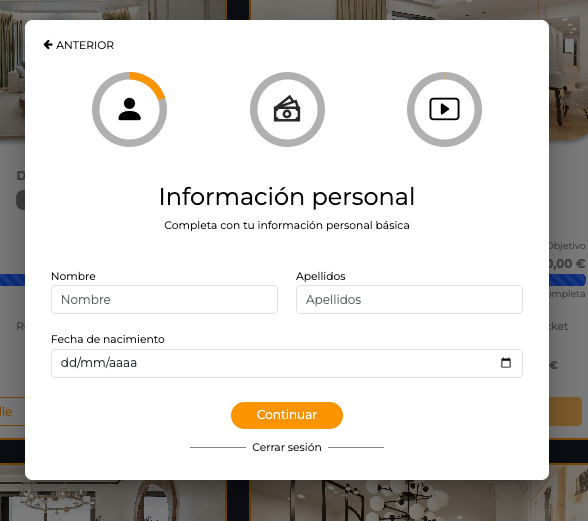
Luego te pedirá que respondas si eres o no ciudadano americano o una persona políticamente expuesta.
Nota: Recuerda que una persona políticamente expuesta es alguien a quien se le ha confiado una responsabilidad pública prominente (Altos cargos funcionario, militares, ejecutivos de alto nivel…)

Finalmente, termina el apartado de información personal, indicándonos tu profesión.
Queremos conocer más sobre tu información financiera como cuáles son tus ingresos periódicos, el origen de los fondos que vas a invertir en Domoblock y el porcentaje que representa esa inversión sobre tus ingresos.

Después queremos conocer tus intereses como inversor, saber cuánta fluctuación, si estás dispuesto a asumir, qué objetivos tienes a la hora de invertir y cuál es el horizonte temporal de la misma.
Es importante que conozcas los instrumentos financieros que Domolock ofrece y los riesgos que los mismos conllevan, ya que en caso contrario no podremos aprobar tu perfil.

Por eso te preguntamos si conoces los instrumentos financieros que ofrece Domoblock y si has invertido en empresas no cotizadas gestionadas por ti o por otros. Debes responder con “sí”, debido a que aquí aceptas conocer el security token, hay que darle que sí que si ya que en caso contrario no podremos validar la identidad y no se podrá completar el proceso de verificación.
Básicamente un security token es un token que representa un instrumento financiero tradicional como un bono, un préstamos participativo de una compañía, etc.

Una vez confirmado lo anterior, te pedirá que nos indiques si deseas ser tratado como un inversor profesional. Si eliges ser tratado como uno es porque tu actividad principal es dedicarte a las inversiones o porque vas a invertir más de 10.000€ por cada operación.
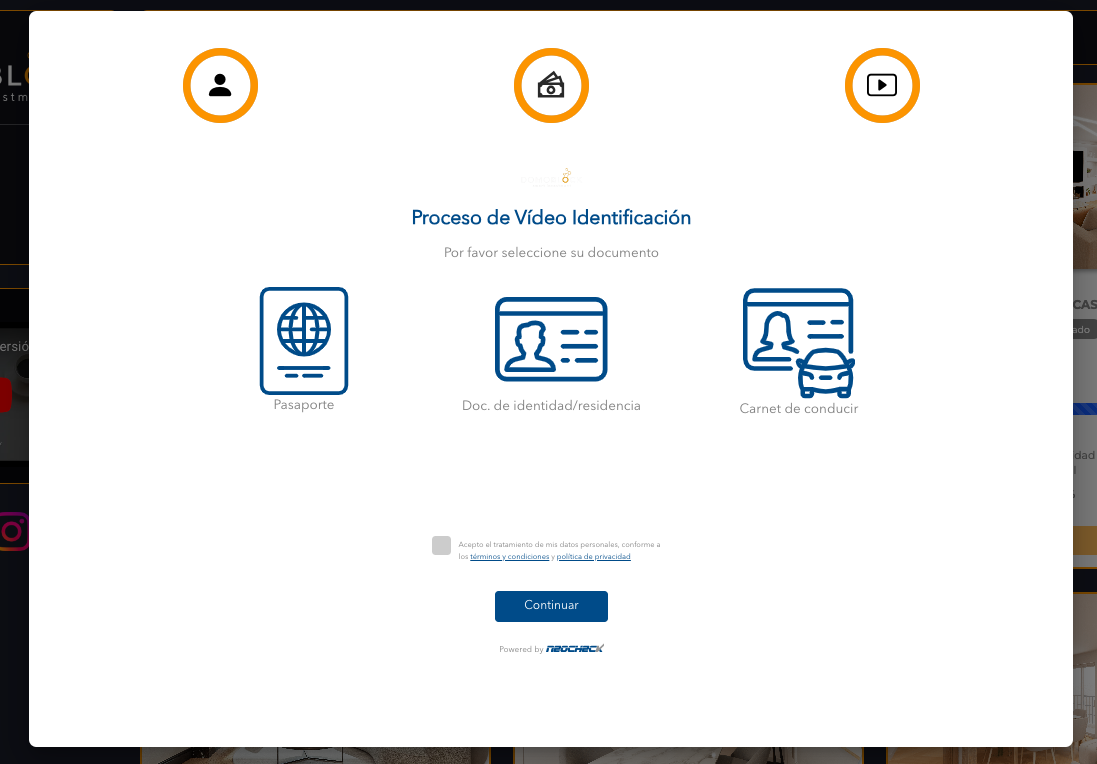
A continuación se pedirá una video identificación que consistirá en tomar una foto al anverso y reverso del documento de identidad que elijas: Pasaporte, documento de identidad / residencia, o carné de conducción.
Recuerda aceptar el tratamiento de tus datos personales, y si quieres podrás acceder a los términos y condiciones como a la política de privacidad.
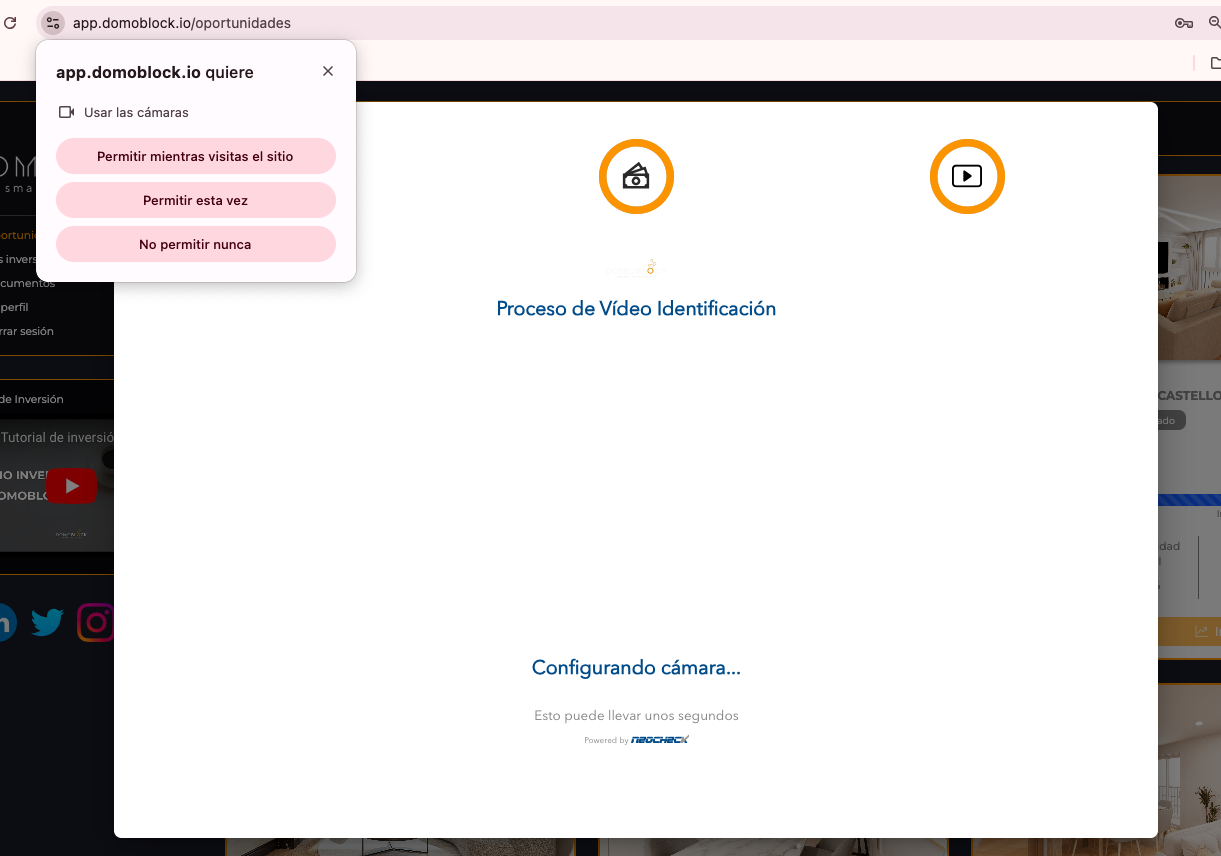
Acepta los permisos para acceder a tu cámara del dispositivo. Con ella harás las fotos a tu documento junto con una selfie tuya.
Una vez realizadas las fotografías te saldrá un mensaje de agradecimiento y le darás clic al botó “finalizar”.
Una vez finalizado el proceso y si todo ha ido bien, tu usuario pasará a estar Acreditado. En caso contrario se mandará a Revisión y se te notificará sobre problema detectado, para que lo puedas subsanar.
Una vez finalizado este proceso, nos preguntará de qué forma queremos invertir, si es a través de Blockchain o por transferencia bancaria.
Si vienes de la inversión tradicional y tu objetivo es invertir en € y recibir los rendimientos también en €, no te preocupes porqué podrás disfrutar igualmente de la inversión con Domoblock, sin necesidad de tener ningún tipo de conocimiento sobre blockchain.
Podrás invertir directamente por medio de transferencia bancaria a través de nuestra pasarela de pagos. (La inversión mediante dinero FIAT tiene un mínimo de 200€).
- Si tienes wallet propia: Tendrás que dar “Sí” si quieres conectar tu wallet.
- Si no tienes wallet propia: nosotros crearemos una para ti. Solo deberás añadir tu cuenta bancaria.
Si seleccionaste transferencia bancaria y tienes más de una wallet luego podrás elegir cómo retirar tu plusvalía si a través de DAIS o por medio de una transferencia bancaria a tu cuenta.
Si quieres invertir a través de Blockchain, deberemos añadir la wallet a nuestro perfil. Debes tener DAI para poder hacerlo y su mínimo de inversión será de 200€.

.png)




.png)
.png)
.png)
.png)